Willow UI
A UI component library for Go, built on the Willow display tree
Willow UI gives you a full set of themed, interactive widgets built on the Willow scene graph. Buttons, inputs, sliders, tabs, panels, lists, and more. Write game UI in Go with reactive data binding and optional XML templates.


Quick Example
Willow UI builds on Willow's scene graph. You get all of Willow's rendering features plus a full widget toolkit.
Read the full guide →Already using Go and Ebitengine?
Typed Go widgets with reactive bindings. No raw image ops, no manual layout math.
Coming from another framework?
If you've built UIs in Unity or Godot, Willow UI will make sense. A component library for game UIs.
Where Willow UI Fits
Features
Core Widgets
- Buttons, text inputs, sliders, checkboxes, toggles, radio buttons
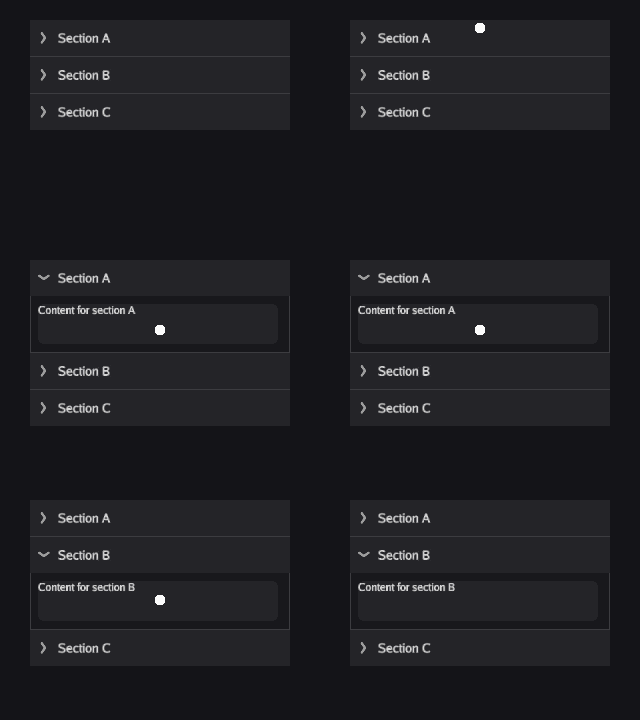
- Tabs, accordion, progress bars, animated images
- Tags, badges, and tag bar
Advanced Widgets
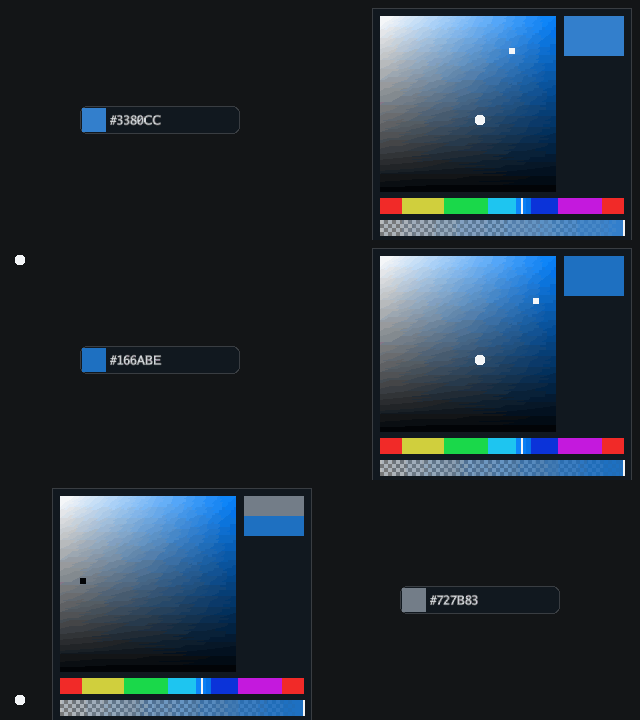
- Color picker and gradient editor
- Calendar selector and time picker
- Data table, image cropper, inventory grid
Navigation
- Menu bar and context menus
- Nav drawer and toolbar
- Toggle button bar
Inputs
- Search box and masked input
- Number stepper and option rotator
- Key bind input and textarea
Overlays
- Tooltips and popovers
- Toast notifications
- Window panels and popups
Layout
- VBox, HBox, Grid, and anchor layout
- Two-column layout and manual positioning
- ScrollPanel, List, and TileList
Reactivity
- Ref[T], Computed[T], and Record bindings
- Reactive arrays with insert, remove, and move watchers
- Automatic UI updates from state changes
Theming
- Fully typed Theme struct
- Per-widget, per-state color and style control
- Nine-slice image backgrounds
Rich Text
- Markup with bold, italic, colored text, and outlines
- Clickable inline links
- Font family resolution with variant matching
Templates
- XML template system with data binding and expressions
- Hot-reload for real-time iteration
- XML compiler (xmluic) for binary .xmlui in production
Screens & Focus
- Screen/Controller lifecycle pattern
- Tab and arrow key focus navigation
- Keyboard shortcuts with modifier support
Platform
- Clipboard integration across desktop and WebAssembly
- Sortable list and sortable tree list
- Automated visual testing

Why Willow UI?
UI Code That Reads Like Product Code
No raw image management, no shader calls, no manual layout math. Willow UI components are typed Go structs with clear APIs. Build a reactive counter in under 10 lines of Go.
Reactive Without the Framework Tax
Ref[T] and Computed[T] keep your widget text, values, and visibility in sync with your game state. Two-way binding, derived values, and array watchers with low framework overhead.
Theme Everything
A single Theme struct controls colors, borders, padding, and corner radii across every widget and visual state. Swap themes at runtime. Override per-component when you need to.
XML Templates for Rapid Development
Define layouts in XML with hot-reload to see changes in real time, no recompile needed. Readable, declarative markup that keeps UI structure separate from logic. Compile to binary for production when you ship.
Use Cases
In-game menus, HUDs, and settings screens
Cross-platform desktop apps and utilities
Character sheets, stat panels, and data-driven displays
Native tools and editor interfaces
Level editors and debug tool panels
Apps with reactive data binding and live-updating views
Build UIs with XML Templates
Define your layouts in declarative XML with reactive data binding, conditional visibility, and event handlers. Hot-reload to see changes instantly without recompiling.
- bind:value and bind:text for reactive two-way data binding
- on:click, on:change for event handling
- ui:show for conditional visibility
- Hot-reload during development, compile to binary for production
Common Questions
What is Willow UI?
Willow UI is a component library for building game user interfaces in Go. It sits on top of the Willow scene graph and provides buttons, sliders, text inputs, panels, tabs, lists, and dozens of other widgets. It includes a layout system, reactive data binding, theming, and optional XML templates.
Do I need Willow to use Willow UI?
Yes. Willow UI is built on Willow's display tree. Every widget is a node in the scene graph. This means UI elements participate in the same rendering pipeline as your game graphics: same draw ordering, same batching, same coordinate system.
How does it compare to HTML/CSS UI?
There is no DOM, no CSS, no browser engine. Willow UI draws everything directly with GPU-accelerated 2D rendering inside your game loop. Layout, styling, and hit testing are all custom implementations designed for 60 FPS game rendering, not document layout. If you need a settings menu running at full frame rate alongside your game, this is what Willow UI is for.
What widgets are included?
Buttons, text inputs, sliders, checkboxes, toggles, radio buttons, tabs, panels, accordions, lists, data tables, color pickers, calendar selectors, time pickers, tooltips, popovers, toasts, menu bars, context menus, toolbars, nav drawers, scroll panels, and more. See the documentation for the full catalog.
Ready to build with Willow UI?
Get up and running in minutes. Check out the docs, explore examples, or jump straight into the code.